
AI text to speech app that reads anything aloud
Paste text, open a PDF, EPUB or link. VoiceRead's text to speech reads it in a natural AI voice, highlights each sentence as it goes, and turns the result into an audio file you can keep.
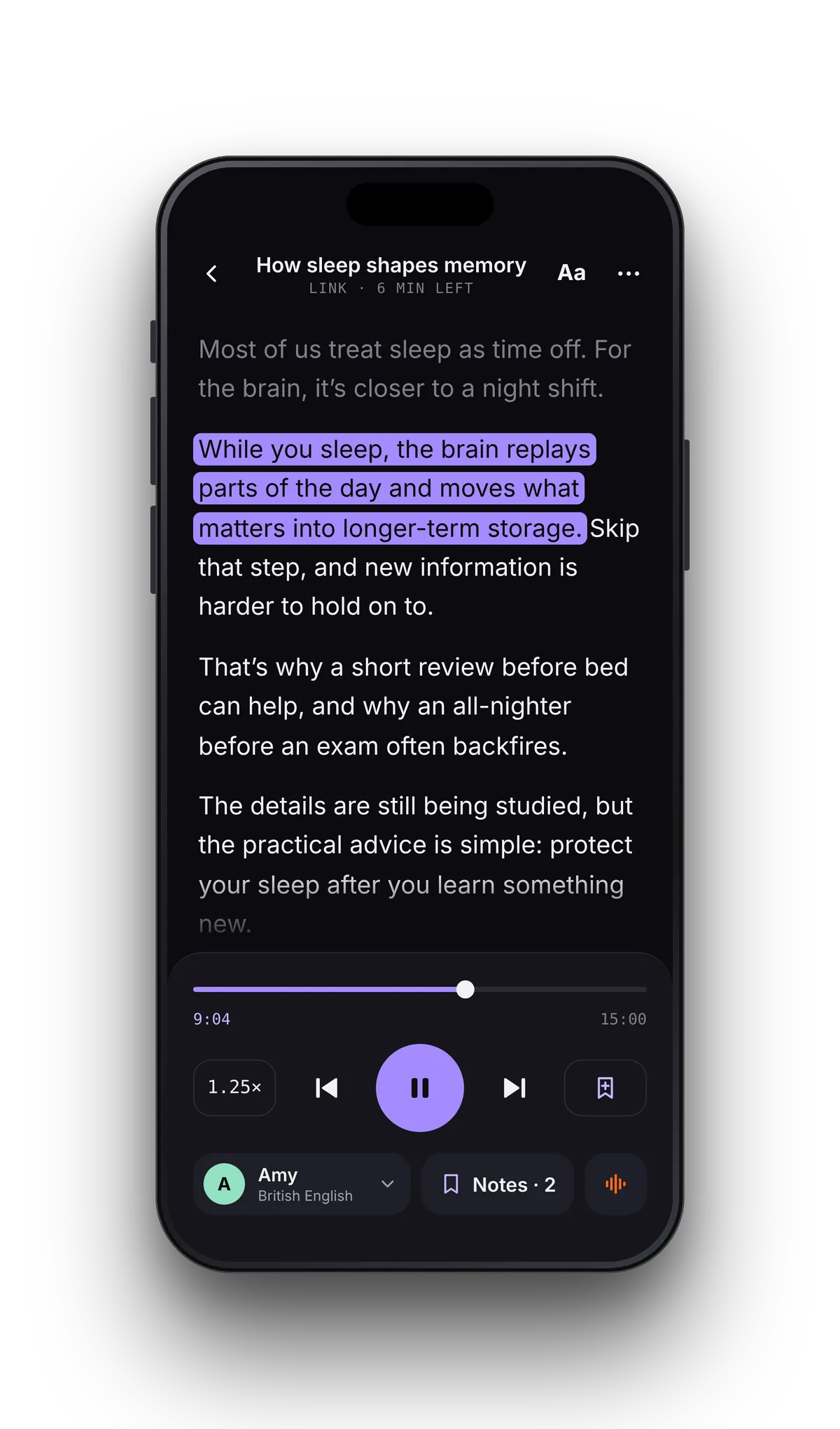
Every sentence lights up as it's read.
Follow along karaoke-style. Each sentence is highlighted as the voice speaks it, you can tap any sentence to jump there, and the page follows along as it reads.
- Tap to jump. Skip a paragraph or replay a sentence — the voice follows your finger.
- Captions with your voiceovers. Pro exports an .srt subtitle file with the audio, timed to the voice.
- Built for dyslexia and ADHD. Seeing and hearing the same words keeps your place and your focus. Reading with dyslexia →
Open a file. Press play.
No converting, no copy-pasting. VoiceRead's text to speech reads the files you already have, remembers where you left off, and keeps the voice and speed you picked.
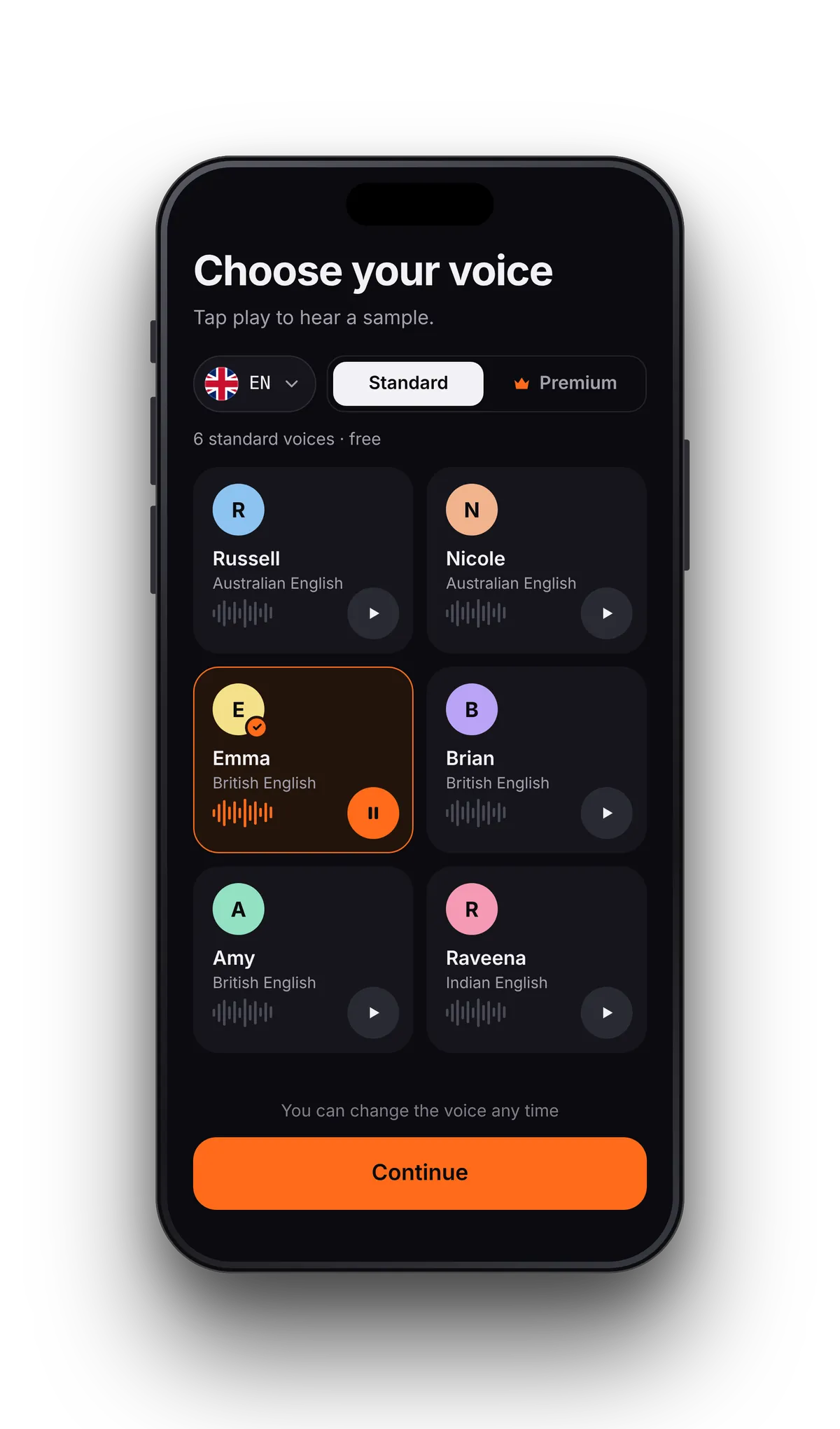
Voices that sound like people, not robots.
Standard voices are free; Pro adds premium voices. British, American, Australian and Indian English, plus 16+ languages and more added regularly. Preview any voice with one tap and switch mid-chapter.
Text in. Voice out.
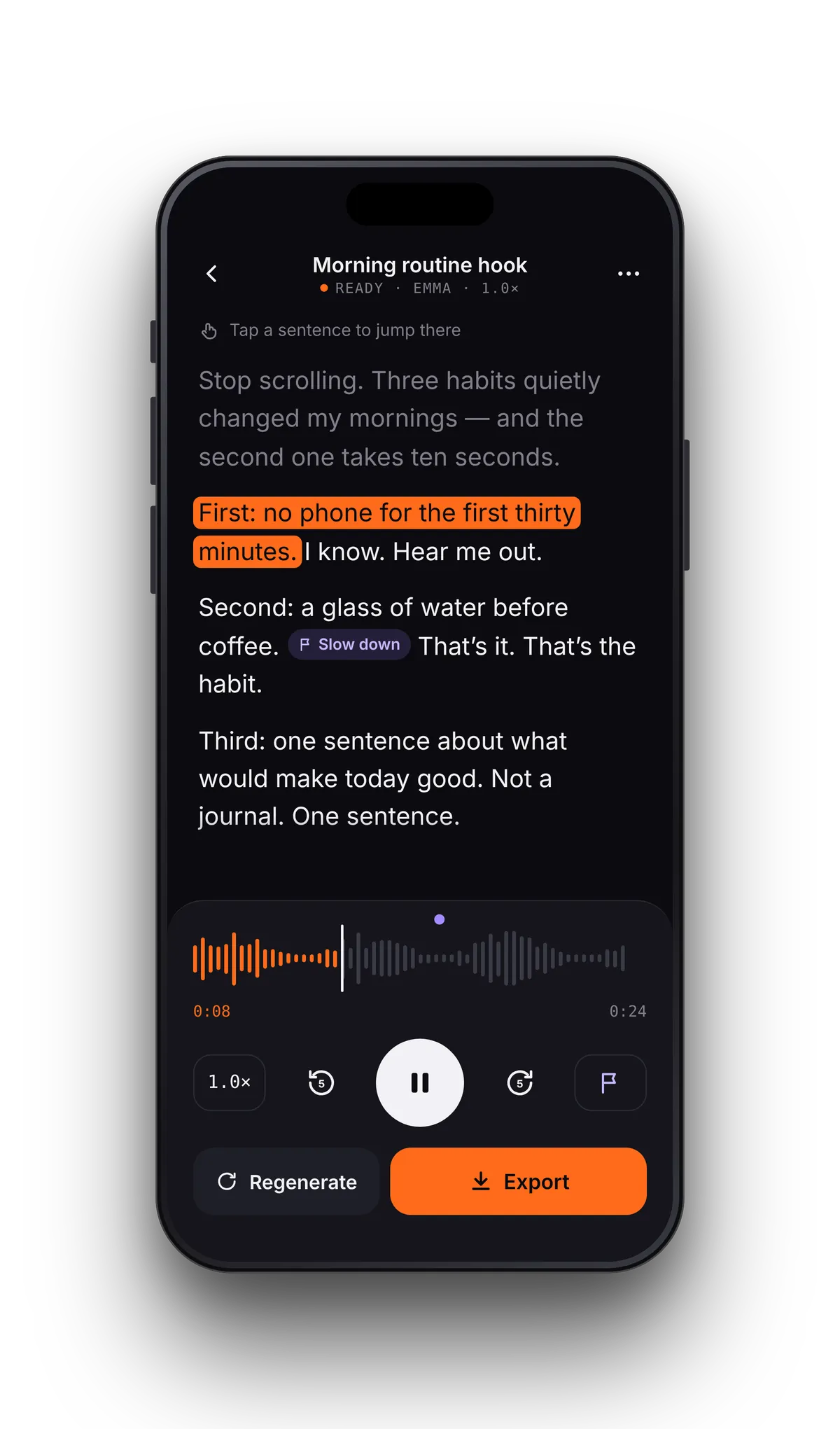
Studio turns a script into a ready-to-post audio file. Pick a voice, generate, listen back with the text highlighted as it reads, then download it as an M4A file you can post anywhere.
- M4A
- WAV with Pro
- .srt captions with Pro
Coming soon Direct MP3 export
Made for how you actually read.
Switching from Speechify, Natural Reader or ElevenReader?
Side-by-side features and prices, with what VoiceRead does differently — and what it doesn't do yet.
- Can VoiceRead read PDFs aloud?
- Yes. Open a PDF from the Files app (iCloud Drive, Google Drive and Dropbox show up there) or paste a link to one. VoiceRead pulls out the text, remembers where you stopped and reads it with the voice you choose. For paper pages, use the built-in scanner.
- Does it highlight the text while reading?
- Each sentence is highlighted as it's spoken, and you can tap any sentence to jump there. With Pro, Studio voiceovers also export with an .srt captions file.
- Is there a free version?
- Yes. Generating and listening with the standard voices is unlimited and needs no account; your first 3 downloads are free. Pro adds premium voices and unlimited downloads. See pricing.
- Does it work offline?
- Yes. You can generate and listen with the standard voices without a connection, and downloaded audio plays offline.
- Which devices does it run on?
- iPhone and iPad. Playback continues in the background and with AirPods. Android and CarPlay are coming soon. VoiceRead for iPhone.
Start listening in under a minute.
Free to try. No account. Your first file is read aloud before you finish reading this sentence.