
Listen to documents while driving
Listen to documents while driving, walking or waiting for a flight: VoiceRead reads reports, long emails, contracts and articles aloud through your car's Bluetooth or your AirPods. Set it up before you leave, press play, and keep your eyes on the road.
Set it up in the parking lot, not on the highway
- 01Add today's readingOpen a report from the Files app, paste a long email, or paste a link to an article.
- 02Pick a voice and speedChoose a voice and set the speed, anywhere from 0.5–3.5×, while you're still parked.
- 03Press play and driveConnect to the car over Bluetooth or put in your AirPods, lock the phone and put it away. Audio keeps playing.
The reading that piles up at work.
Listen to reports on the go and get through the backlog in time you'd otherwise spend in traffic or on foot.
Set up before you drive. Eyes on the road.
VoiceRead plays through car Bluetooth like any audio app. Choose the document, voice and speed while you're parked, then press play and put the phone away. Next and previous skip a paragraph.
CarPlay support is coming soon. Until then, VoiceRead doesn't appear on your car's display, so leave the phone alone while the car is moving.
- Background playback with the screen locked
- Play and pause from the lock screen or your AirPods
- Imported files play offline with the standard voices, so tunnels and dead zones don't stop them
- Premium voices need a connection
Pick up the report where you left off.
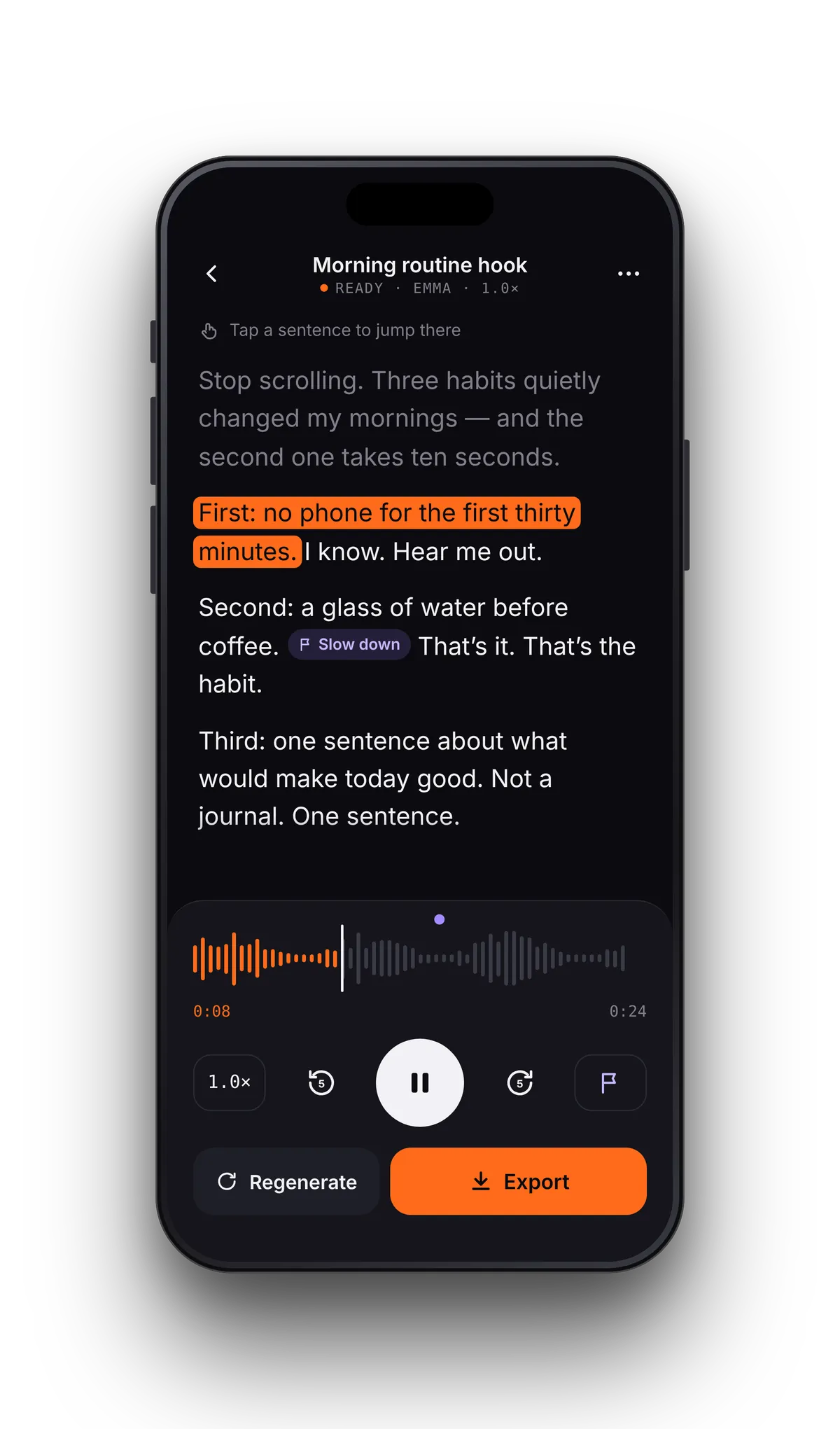
Every document keeps its place. Open it at your desk and it resumes where you stopped, with the sentence being read highlighted, so you can switch between listening and reading. Add a note to flag a line for the meeting, then tap the note to jump back.
Need a voiceover, not just a listen?
Studio turns a script into an audio file for training videos, presentations and product demos. Paste or import the script, pick a voice, generate, listen back and export.
Questions from people on the move
- Can I listen to documents in the car without CarPlay?
- Yes. Connect your phone to the car over Bluetooth and VoiceRead plays like any audio app. Set up the document before you drive. CarPlay support is coming soon.
- Can VoiceRead read my email inbox?
- It doesn't connect to email accounts. Copy a long email, paste it into VoiceRead and it's read aloud.
- Does it keep playing with the screen locked?
- Yes. Playback continues in the background, with play and pause on the lock screen and your AirPods. Next and previous skip a paragraph.
- Can I use Studio voiceovers in company videos?
- Yes, with Pro. Commercial use of exported audio is part of Pro, along with WAV and .srt captions. See pricing.
- Does it work offline on a flight?
- Files you've already imported play offline with the standard voices, and so does audio you've exported. Premium voices and importing links need a connection.