
Natural sounding text to speech, in your language
Natural sounding text to speech starts with a voice you like. VoiceRead has free standard voices and, with Pro, premium voices, in 16+ languages including British, American, Australian and Indian English. Preview any voice with one tap before you choose.
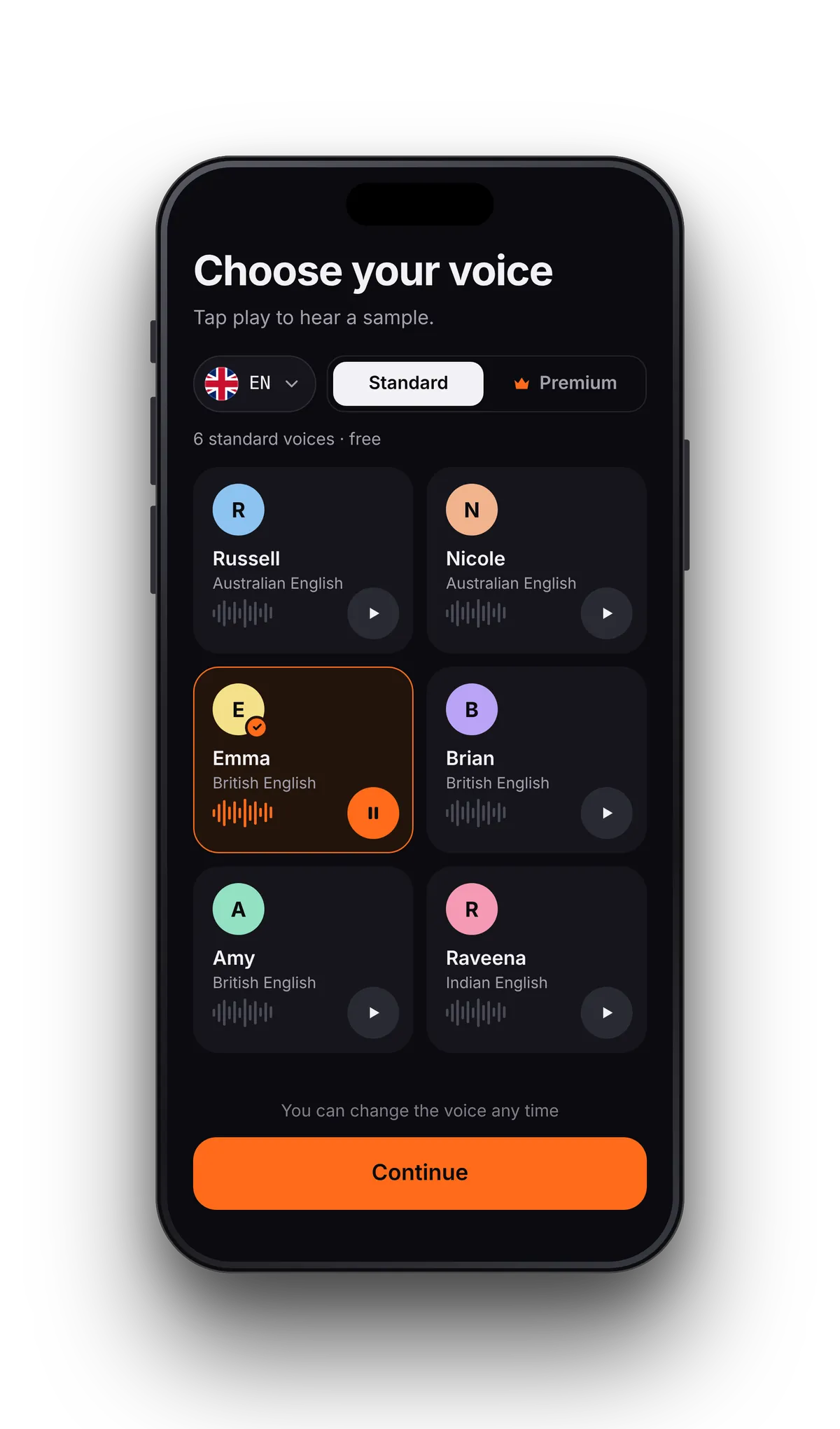
Find your voice in under a minute
- 01Open the voice listTap the voice in the reader or in Studio. Switch between Standard and Premium, then pick a language.
- 02Preview itPlay a short sample of any voice, premium ones included, before you choose. Try a few: the right voice depends on the text.
- 03Set the speedRead at anything from 0.5–3.5×, or 0.75–1.5× for a Studio voiceover. Change voice or speed later without losing your place.
Two kinds of voices, one voice list.
Start with the free standard voices. Add premium voices with Pro when you listen for hours or publish what you make.
| Standard voices | Premium voices | |
|---|---|---|
| Price | Free | With Pro |
| Listening | Unlimited | Unlimited, no word quota |
| Reader and Studio | Both | Both |
| Without a connection | Works offline | Needs a connection |
| Preview before choosing | Yes | Yes |
Pro is $2.99 a week or $49.99 a year, with a free trial. See pricing.
Voices for 16+ languages.
Choose a voice that speaks the language of your text, and switch whenever the text changes.
A natural voice, with the sentence in view.
Whichever voice you pick, the sentence being read is highlighted as it's spoken. Tap any sentence to start from there, and change voice or speed at any point without losing your place.
From slow and careful to quick review.
The reader goes from 0.5–3.5× in 0.05× steps on the slider, so you can nudge the pace until it feels right. Studio voiceovers use 0.75× to 1.5×. Try a new voice at the speed you normally use; a voice can feel different when it's faster.
- 0.75–1.0× for dense textbooks or a language you're learning
- 1.25× for most articles and reports
- 1.5× and up for notes you've read before
Voice questions
- Which text to speech voices sound the most natural?
- It depends on the text and on your ear. In VoiceRead, the premium voices that come with Pro are the most natural today, and more natural premium voices are coming soon. Preview a few on your own text before you decide.
- Are the voices free?
- The standard voices are free, with unlimited listening and no account. Premium voices come with Pro: $2.99 a week or $49.99 a year, with a free trial. See pricing.
- Do premium voices work offline?
- No. Premium voices need an internet connection. Standard voices work offline, so switch to one before a flight.
- How many languages are there?
- Voices for 16+ languages, including British, American, Australian and Indian English. Pick a voice in the language of your text.
- Can I change the voice in the middle of a book?
- Yes. Change the voice or the speed at any point and VoiceRead keeps reading from the same place.
- Can I publish a voiceover made with a premium voice?
- Yes. Pro allows commercial use of the audio you export from Studio. Export options.