
PDF TO AUDIO · IPHONE · IPAD
PDF reader aloud: listen to any PDF
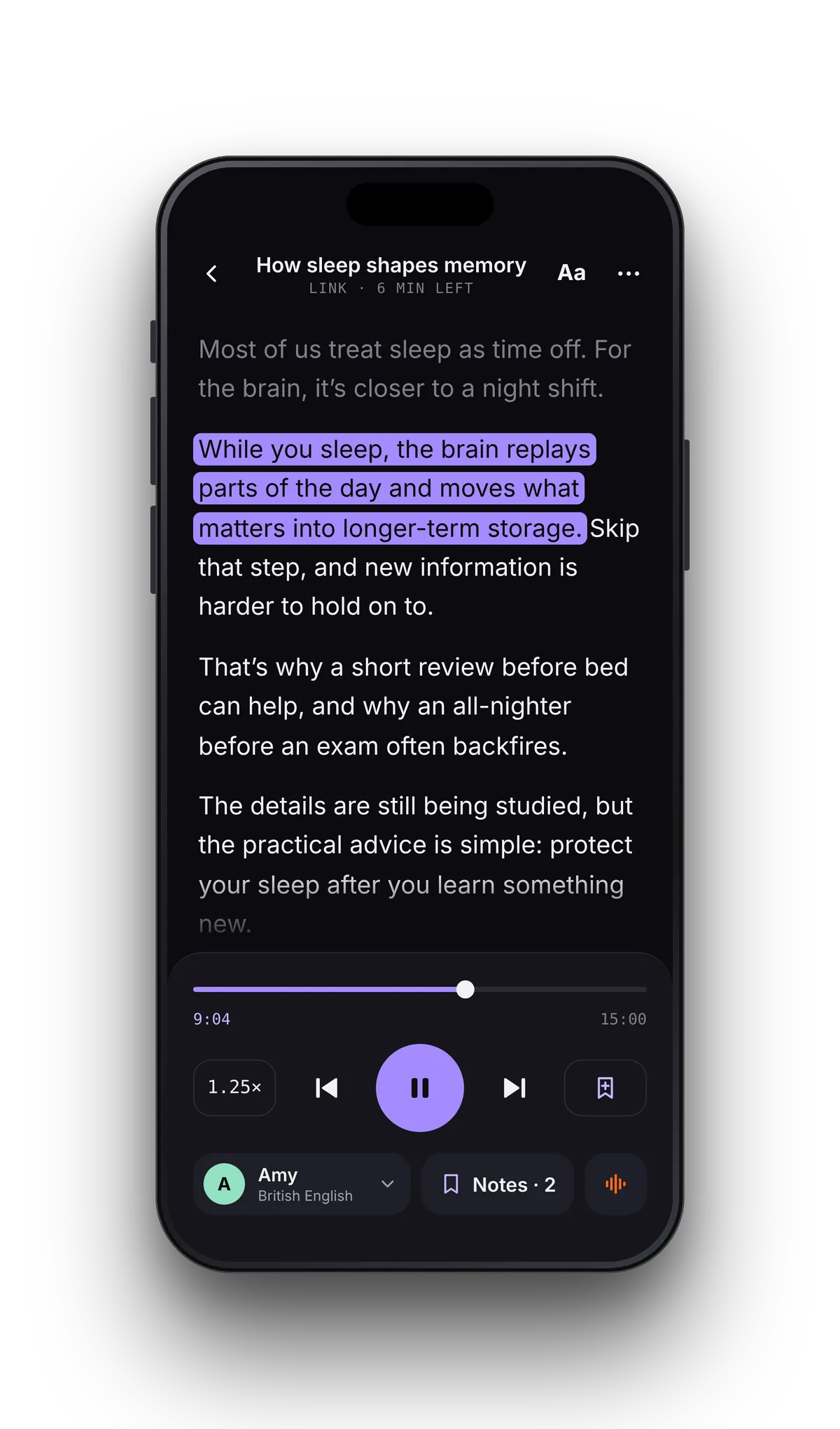
Open a textbook, a research paper or a contract and VoiceRead reads the PDF aloud in a natural voice, highlighting each sentence. Your place is saved per file, so even a 300-page PDF plays straight through and picks up where you left off.
Files appiCloud DriveGoogle Drive & DropboxLinks to PDFs
Sleep-and-memory.pdf24 pages · 51 min
HOW TO LISTEN TO A PDF
How to read a PDF aloud on your phone
- 01Open the PDFTap File in VoiceRead and pick it in the Files app — iCloud Drive, Google Drive and Dropbox show up there — or paste a link to a PDF.
- 02Pick a voice and speedStandard voices are free. Set 1.25× for study, slower for dense material — anywhere from 0.5–3.5×.
- 03Press playLock the phone and playback continues in the background, with play and pause on the lock screen and your AirPods.
PDF TEXT TO SPEECH WITH HIGHLIGHTING
Follow the sentence, not the page number.
The sentence being read is highlighted inside the PDF text, so you can study with your eyes and ears together. Tap any sentence to jump, add a note at the exact spot, and come back tomorrow to where you stopped.
MORE THAN A PDF VOICE READER
Turn a PDF into audio, textbooks into audiobooks.
PDF to audio fileSend a chapter to Studio and export it as an M4A file you keep — an audiobook on your phone. Your first 3 downloads are free; Pro adds unlimited downloads, lossless WAV and .srt captions. MP3 is coming soon.Export options →
Scanned pages Coming soonA scanned PDF has no text layer, so the words can't be pulled out. Use the in-app camera scanner to capture the page and read it today; reading imported scanned PDFs with OCR is coming soon.Scan and read aloud →
Listen to textbooksLecture slides, course readers and papers on the commute. Notes pinned to the sentence make revision faster.Text to speech for students →
FAQ
PDF questions
- How do I make my iPhone read a PDF aloud?
- Install VoiceRead, tap File, pick the PDF in the Files app and press play. No conversion step. VoiceRead for iPhone.
- Can I convert a PDF to MP3?
- Through Studio, VoiceRead exports M4A, which plays everywhere MP3 does; Pro adds lossless WAV and an .srt captions file. A direct MP3 export is coming soon.
- Is there a page limit?
- No page or file-size limit. Listening is unlimited on the free plan; your first 3 audio downloads are free, then Pro removes the cap.
- Does it read PDFs in other languages?
- Pick a voice in the document's language — 16+ languages are available. Voices and languages.
Your next PDF, read to you.Free to start. Standard voices included.