
AI voiceover maker: turn a script into a voiceover
VoiceRead's Studio is an AI voiceover maker on your iPhone: paste or import a script, pick a voice, generate it and listen back with each sentence highlighted. Then export the audio to Files or straight into your editor — with an .srt captions file on Pro.
From script to audio file in three steps
- 01Add your scriptIn Studio, tap + and type or paste the text, paste a link, pick a file from the Files app, or scan a printed page with the camera.
- 02Pick a voice and pacePreview voices before you choose. Standard voices are free; Pro adds premium voices. Set the pace anywhere from 0.75× to 1.5×.
- 03Generate, check, exportTap Generate voiceover and listen back with the text highlighted. Fix a line and regenerate, then export and save to Files or share it to another app.
Voiceovers for what you post, teach and present.
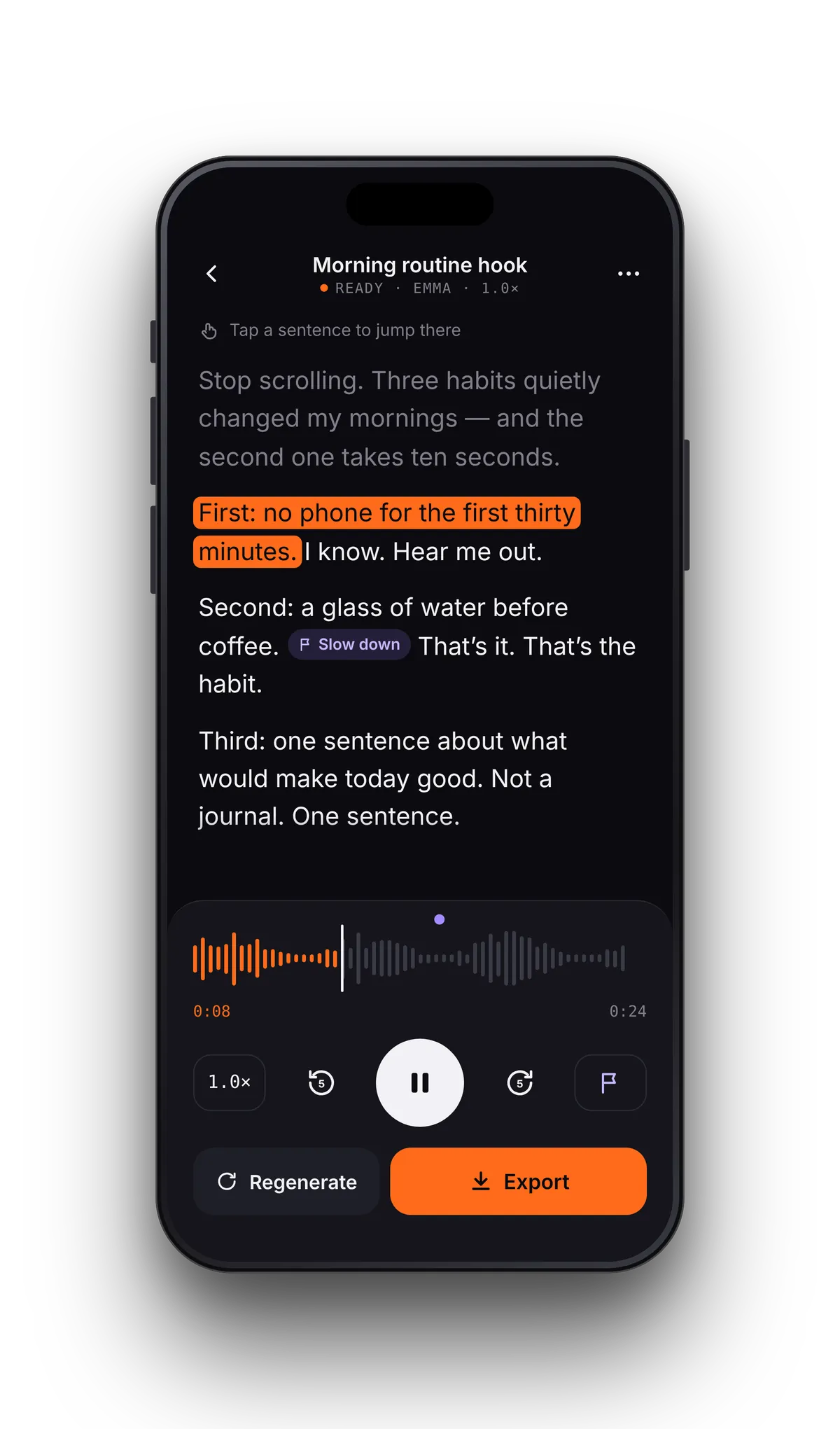
Hear your voiceover and see each sentence as it plays.
Studio playback highlights the sentence being spoken, so a wrong word or an awkward line is easy to catch. Tap any sentence to replay it, edit the script, and generate again.
Voiceover downloads on each plan.
Making and playing voiceovers with the standard voices is unlimited on both plans. Downloads are where Pro comes in.
| Free | Pro | |
|---|---|---|
| Voiceovers in Studio | Unlimited, standard voices | Unlimited, standard + premium voices |
| Audio downloads | 3 in total | Unlimited |
| M4A | 128 kbps | 256 kbps |
| Lossless WAV | — | Yes |
| .srt captions file | — | Yes, timed to the voice |
| Commercial use of the audio | — | Yes |
| MP3 | Coming soon | Coming soon |
Saving or sharing the same voiceover again doesn't use another free download. M4A plays everywhere MP3 does. See pricing.
An .srt file, timed sentence by sentence.
Turn on captions in the export sheet and Pro saves an .srt file next to the audio, with the same name, so the pair stays together. Drop both into your video editor and the subtitles line up with the voice — no transcribing, no manual timing.
SRT is the format video editors and upload forms expect. For a web player that needs VTT, the conversion takes two edits — here's how.
- Name the file before you export
- M4A or lossless WAV
- Save to Files or share to another app
- Standard voices work offline, premium voices need a connection
AI voiceover questions
- Is there a free AI voiceover maker?
- Yes. Making and listening to voiceovers with VoiceRead's standard voices is free and unlimited, with no account. Your first 3 audio downloads are free too; Pro adds premium voices and unlimited downloads.
- Can I use the voiceovers commercially?
- Yes, with Pro, which allows commercial use of the audio you export — for videos, ads, courses and client work. See pricing.
- Which audio formats can I export?
- M4A on every plan (128 kbps free, 256 kbps with Pro) and lossless WAV with Pro, plus an .srt captions file. Direct MP3 export is coming soon; M4A already plays everywhere MP3 does.
- Is there a script length or character limit?
- There's no word or character quota on voiceovers, on the free plan or on Pro.
- Does it work offline?
- Yes, with the standard voices: you can write, generate and export without a connection. Premium voices need to be online.
- Can I change the speed of the voiceover?
- Yes. In Studio the pace goes from 0.75× to 1.5×, which keeps a voiceover natural. The reader goes from 0.5–3.5× for listening.