
Natural Reader alternative: what VoiceRead does differently
Looking for a Natural Reader alternative for iPhone or iPad? Both apps read documents aloud; they differ on price, platforms, file types and what you may do with the audio. Here's each one plainly, including where NaturalReader is ahead, checked against its public pages on the date above.
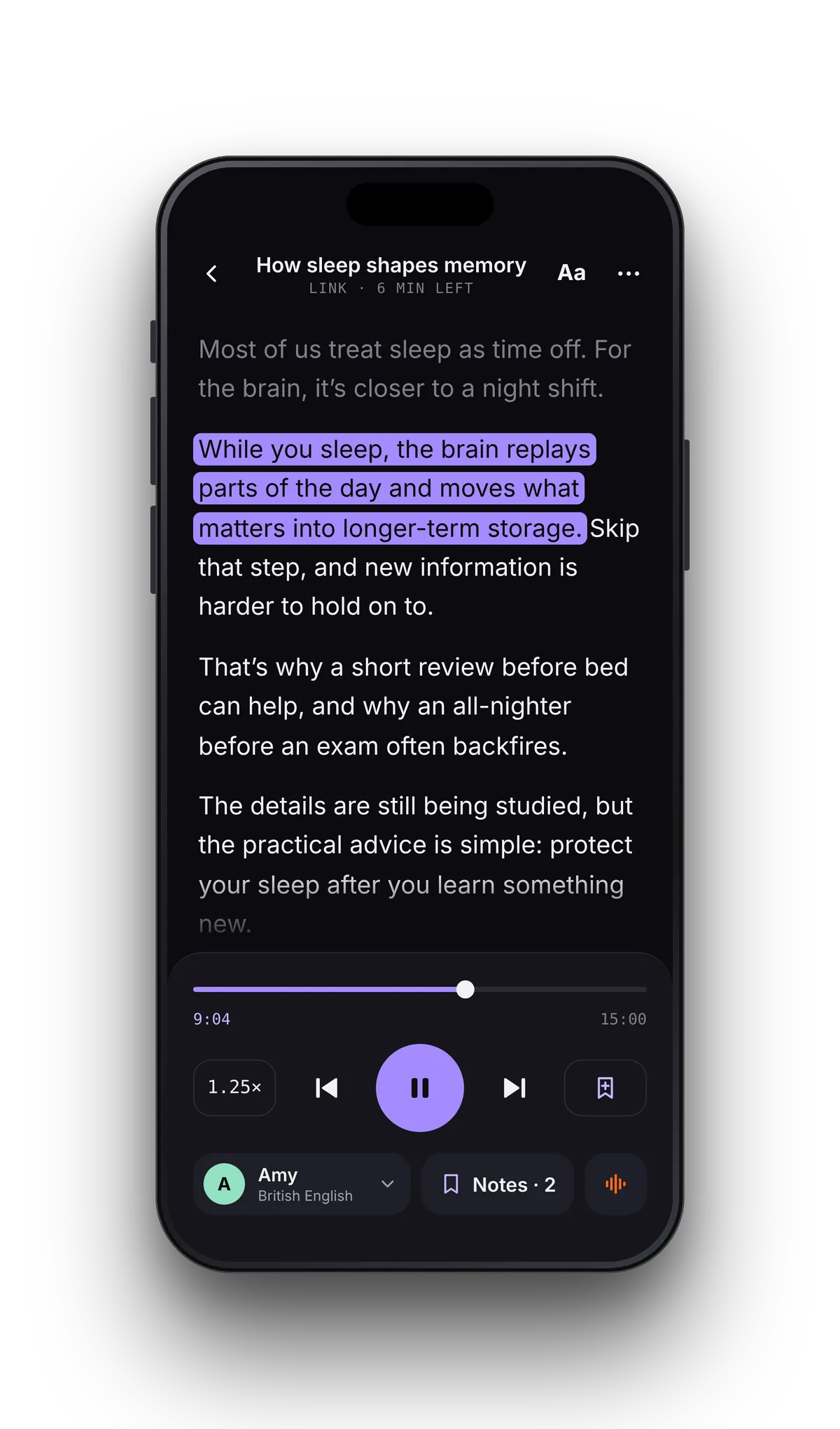
Try VoiceRead with the files you already have
- 01Open your documentTap File and pick a PDF, EPUB, DOCX or TXT, or paste an article link. Save PowerPoint, Excel, RTF or HTML files as PDF first.
- 02Pick a voice and speedStandard voices are free; premium voices come with Pro. Preview any voice and set the speed from 0.5–3.5×.
- 03Listen, or exportPress play and follow the highlighted sentence. To keep the audio, export it from Studio as M4A, or WAV with captions on Pro.
Which one should you pick?
Feature by feature
| Feature | VoiceRead AI | NaturalReader |
|---|---|---|
| Price | $49.99/yr · $2.99/wk · free tier | $79–$159/yr on the web (Lite, Plus, Pro); the App Store lists an older Premium tier at $59.99/yr |
| Free tier | Unlimited listening with standard voices + 3 audio downloads, no account | Unlimited listening with basic voices; 20,000 characters a day with Lite AI voices; no MP3 |
| Voices | Standard voices free, premium voices with Pro; 16+ languages | 200+ AI voices in 90+ languages |
| Usage limits | No word quota on Pro voices | 500,000 characters a day on Plus and Pro voices; 1,000,000 MP3 characters a month |
| Highlighting | Sentence by sentence (word-level coming soon) | Word, sentence or off |
| Reading speed | 0.5–3.5× | 0.28× to 5× |
| Audio export | M4A (3 free); unlimited 256 kbps M4A and lossless WAV with Pro | MP3 on paid plans |
| Use of the audio | Commercial use with Pro | Personal use only |
| Captions file | .srt with Pro, timed to the voice | Not listed |
| File formats | PDF, EPUB (DRM-free), DOCX, TXT, web links, camera scan, pasted text | PDF, EPUB (DRM-free), Word, PowerPoint, Excel, TXT, RTF, HTML, web pages, camera scan; OCR is paid |
| Scanned PDFs | Use the camera scanner; OCR for imported scans coming soon | OCR on paid plans |
| Platforms | iPhone, iPad (Android coming soon) | Web app (Mac, Windows, Chromebook), iPhone, iPad, Android, Chrome and Edge extension |
| Trying it out | Free tier, then a free trial of Pro | Free tier; 7-day money-back by request |
NaturalReader details come from its public help pages and App Store listing, checked on 2026-10-28; prices and limits change. NaturalReader is a trademark of its owner, and VoiceRead is not affiliated. Spot something out of date? Tell us via support.
One plan, and audio you're allowed to publish.
NaturalReader is a broad toolkit: a web app for computers, mobile apps, a browser extension, three paid tiers and more file types than VoiceRead opens. If you read at a desk all day, that reach is a real advantage.
VoiceRead is built around the phone. The reader and Studio share one voice library, so the same app reads your PDF out loud on the commute and turns a script into a voiceover file. Pro is one plan with no word quota on premium voices, and exported audio can be used commercially — NaturalReader's MP3s are for personal use.
- Notes pinned to the sentence being read — tap a note to jump back
- Your place saved in every document
- Exports saved to Files or shared to another app, with an .srt file timed to the voice on Pro
- Imported files and camera scans read offline with standard voices
Switching questions
- Is there a free Natural Reader alternative for iPhone?
- Yes. VoiceRead's text to speech reads PDFs, EPUBs, Word files and web articles aloud free with standard voices — no account, no daily character limit — plus 3 audio downloads to try exporting. Premium voices and unlimited downloads are Pro.
- Can I open the files I used in NaturalReader?
- PDFs with a text layer, DRM-free EPUBs, DOCX and TXT open straight from the Files app. PowerPoint, Excel, RTF and HTML files don't, so save them as PDF, DOCX or TXT first. Listening progress and notes don't transfer between apps.
- Can I use the exported audio in videos or podcasts?
- With VoiceRead Pro, yes: commercial use of exported audio is included, and you get an .srt captions file timed to the voice. NaturalReader's MP3 export is for personal use only. Export options.
- Does VoiceRead highlight word by word like NaturalReader?
- Not yet. VoiceRead highlights the sentence being read in every format, and word-level highlighting is coming soon. If you need it today, NaturalReader offers word, sentence or no highlighting.
- Is there a VoiceRead app for Windows or the web?
- No. VoiceRead runs on iPhone and iPad with iOS 17 or later, and Android is coming soon. For listening at a computer, NaturalReader's web app is the better fit.