
A reading app for dyslexia that reads along with you
VoiceRead is a reading app for dyslexia and ADHD that reads text out loud while highlighting the sentence being spoken, so your eyes and ears stay on the same words. Set the speed that suits you, tap any sentence to hear it again, and open the PDFs, Word files and handouts you already have.
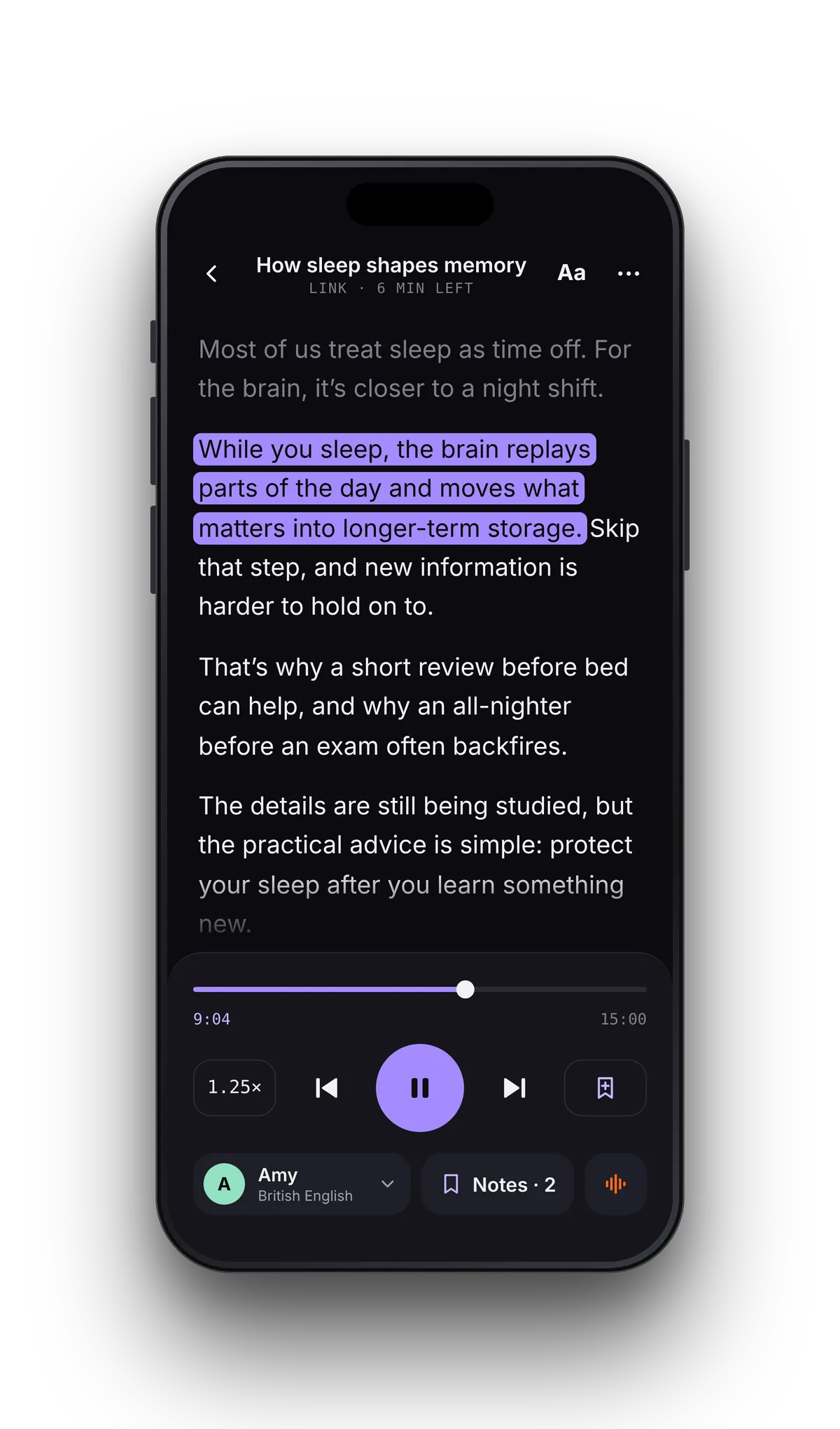
Hear it and see it in three steps
- 01Open what you need to readA PDF, a Word file, a web article, or a paper page scanned with the camera. You can also paste text.
- 02Make it comfortablePick a voice, set the speed anywhere from 0.5–3.5×, and choose a bigger text size in the reader.
- 03Follow the highlightPress play. The sentence being read is highlighted; tap any sentence to go back and hear it again.
One sentence at a time, heard and seen.
With text to speech for dyslexia, it helps when the words on screen match the voice. VoiceRead highlights the sentence being spoken rather than a whole paragraph, so you can always see where the voice is.
Set the page up the way you read.
When your mind wanders, the highlight shows where you were.
If listening while you read helps you stay with a text, VoiceRead keeps the voice moving at the speed you set and keeps the current sentence marked. Look away, and you can find your place again at a glance.
Every file remembers where you stopped. Read for ten minutes now and pick up at the same sentence later, without hunting through pages. Lock the phone if you'd rather just listen; playback continues in the background.
- The sentence being read is highlighted in every format
- Your place is saved per document
- AirPods play and pause
- Standard voices are free, with no account
What VoiceRead doesn't do.
VoiceRead is a reading app, not a medical tool. It reads text aloud and shows you where it is; it doesn't test, diagnose or teach reading. A few things readers with dyslexia often look for aren't there:
- There's no dyslexia-specific font.
- The reader is dark-themed only, with no cream or tinted background. If you use a color tint, iPhone's Color Filters (Settings → Accessibility → Display & Text Size) apply to every app, VoiceRead included.
- Line spacing is fixed, not adjustable.
- Highlighting is by sentence. Word-by-word highlighting is coming soon.
Dyslexia and ADHD questions
- Can VoiceRead help with dyslexia?
- VoiceRead is a reading tool, not a medical one. It reads your text out loud and highlights each sentence as it's spoken, at the speed you choose. Try it free with your own files to see whether listening while reading suits you.
- Does it have a dyslexia font?
- No. There's no dyslexia-specific font, and the reader is dark-themed only. You can choose from six reader text sizes, from 16 to 28 points.
- Does it highlight word by word?
- Not yet. Highlighting is sentence by sentence today; word-level highlighting is coming soon. How read-along works.
- Can it read worksheets and handouts on paper?
- Yes. Use the camera scan: point it at the page, the text is captured and read aloud. It works without a connection. Scans & photos.
- Is it free?
- Yes. Listening with the standard voices is free and unlimited, with no account. Pro adds premium voices and unlimited audio downloads. See pricing.