
READ ALONG · KARAOKE-STYLE
Text to speech with highlighting
Hear it and see it. VoiceRead reads your text out loud and highlights each sentence as it goes, so you can read along — in PDFs, ebooks, articles and pasted text. With Pro, the voiceovers you export also come with an .srt captions file.
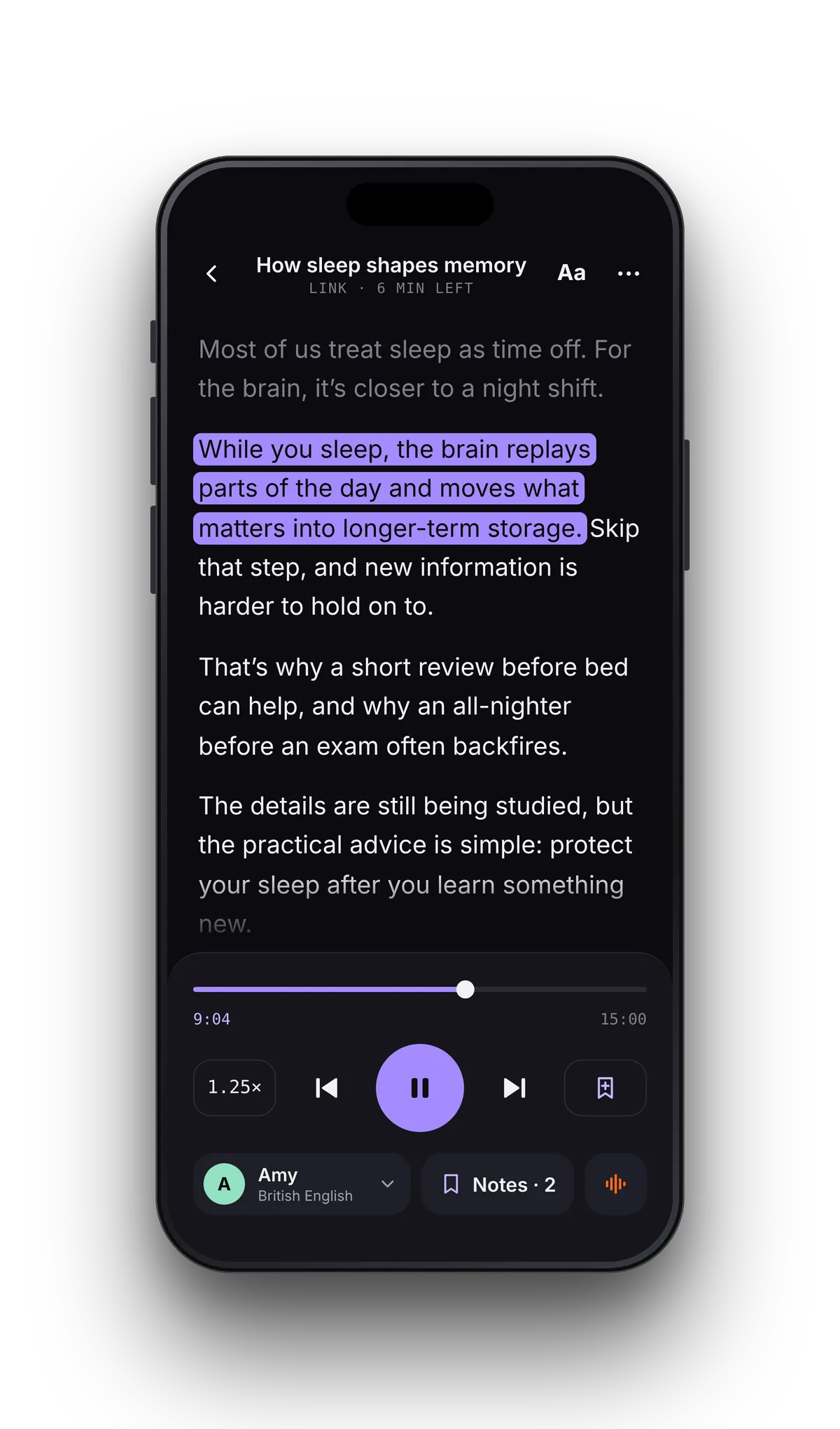
HOW READ-ALONG WORKS
Text to speech with highlighting, in three taps.
- 01Open anythingA PDF, an EPUB, a Word file, a web link or text you paste. VoiceRead splits it into sentences.
- 02Press playThe sentence being spoken turns purple and the page scrolls to keep it in view. Change voice or speed without losing your place.
- 03Tap to jumpTap any sentence to start from there. Skip ahead by paragraph, or go back and replay the sentence you missed.
WHY SEEING THE WORDS MATTERS
Immersive reading: eyes and ears on the same sentence.
Reading while listening keeps attention on the page and makes it easier to remember what you heard. For readers with dyslexia or ADHD it's often the difference between finishing a chapter and giving up on it.
- Sentence-level highlighting, not a whole paragraph — your eye always knows where the voice is.
- Adjustable text size and a dark reading surface that stays easy on the eyes at night.
- Notes pinned to the sentence, so you can come back to the exact spot later.
TEXT TO SPEECH WITH SUBTITLES
Generate subtitles from text — timed to the voice.
Every voiceover you export from Studio can come with an .srt captions file. Drop the audio and the subtitles into your video editor or podcast host and they line up, sentence by sentence. Pro plan.
- .srt
- M4A
- WAV
Highlighting works in every format VoiceRead reads.
FAQ
Highlighting questions
- Does text to speech word highlighting work, or only sentences?
- VoiceRead highlights by sentence today, which keeps the page calm at reading speed. Word-level highlighting is coming soon.
- Can I listen and read along with my own PDF or ebook?
- Yes — any file you open in VoiceRead gets the same highlighting, including PDFs, EPUBs, DOCX and scanned pages.
- Can I export the subtitles without the audio?
- Not on their own yet. The .srt file is exported together with a Studio voiceover on the Pro plan. In the reader, every sentence is highlighted as it's read.
- Is read-along free?
- Highlighting is part of the reader for every user. Standard voices are free; premium voices and unlimited downloads come with Pro. See pricing.
Try read-along on your own file.Free to start. Open a PDF and press play.