
Text to speech for students: listen to your textbooks
VoiceRead is text to speech for students: it reads textbook PDFs, lecture notes, articles and scanned handouts aloud, highlighting each sentence as it goes. Revise on the bus at 1.5×, pin notes to the lines you'll need for the exam, and pick up every file where you stopped.
From reading list to revision in three steps
- 01Add your course filesTap File and pick a textbook PDF or lecture notes in the Files app, paste a link to an article, or scan a handout with the camera.
- 02Set your study speedStart near 1× for new material and go faster for review — anywhere from 0.5–3.5×. Standard voices are free.
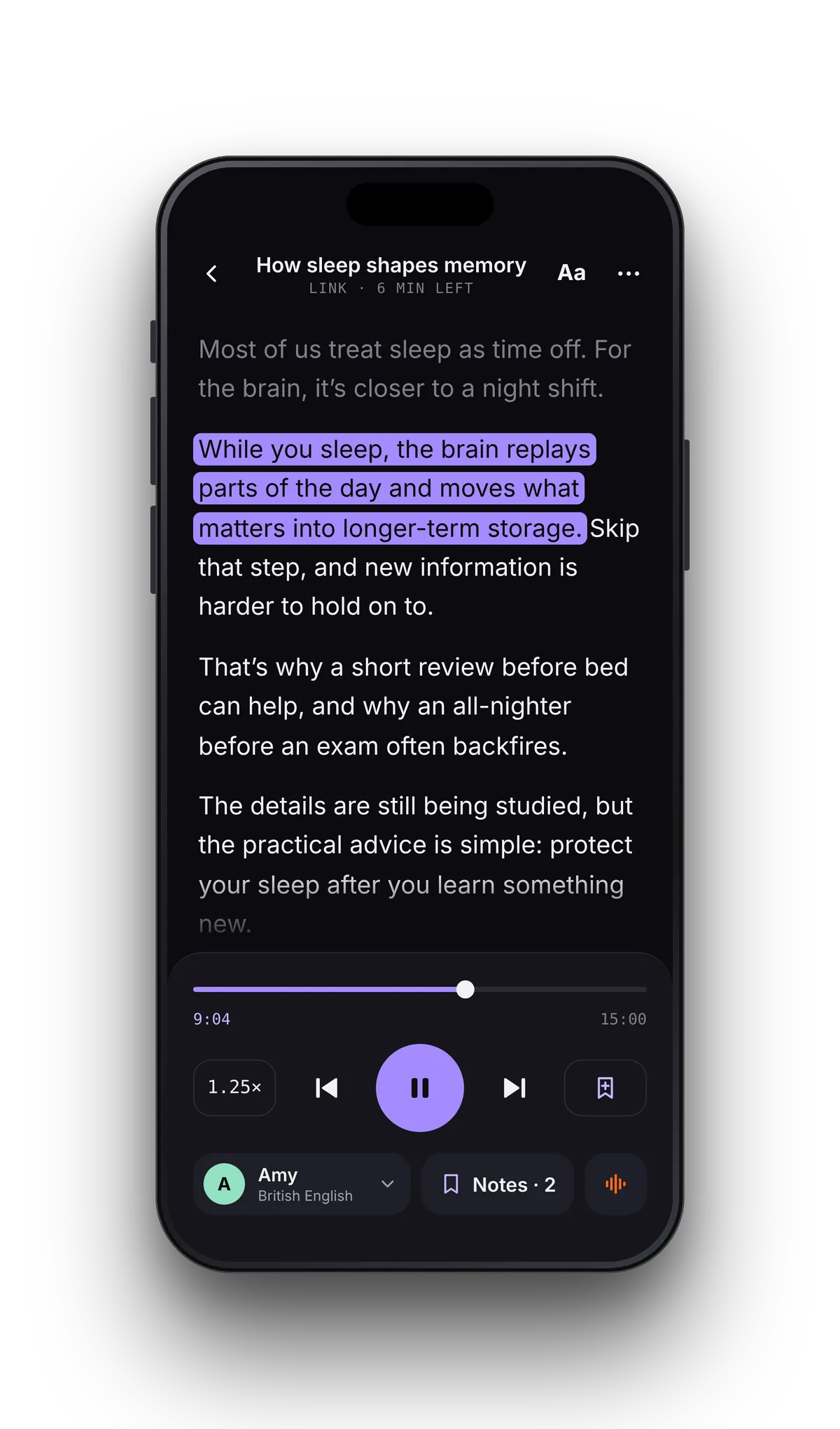
- 03Listen and take notesPress play and follow the highlighted sentence. When something matters, add a note; it's pinned to that exact sentence.
Everything on your reading list.
Follow the sentence, not just the voice.
The sentence being read is highlighted as the voice moves through your notes. Tap any line to hear it again, or jump ahead to the section your professor said would be on the test.
Built for the week before the exam.
Speed is your revision tool. Go through a chapter slowly the first time, then listen again at 1.5× or 2× to review. The slider moves in 0.05× steps, so you can find the pace where you still follow.
Notes are pinned to the sentence being read. Tap a note later and you're back at that exact line, which turns a long PDF into a short list of what to go over again.
- Your place is saved in every file, so you can switch subjects freely
- Lock the phone and keep listening; AirPods play and pause
- Next and previous skip a paragraph
- Files you've already added play offline with the standard voices
Turn a chapter into an audio file.
Listening in the reader is unlimited. For a file you can play anywhere, paste the chapter's text into Studio and export it.
Student questions
- Can VoiceRead read my textbook PDF?
- Yes, if the PDF has a text layer, which digital textbooks usually do. Scanned PDFs without one can't be read yet; scan the printed pages with the camera instead. Reading imported scanned PDFs is coming soon.
- Is there a student discount?
- No, there's no separate student plan. Listening with the standard voices is free and unlimited, and the weekly Pro plan ($2.99, with a free trial) suits a single exam week. See pricing.
- Can I listen to lecture notes from Google Docs?
- Yes. Export the doc as DOCX, PDF or TXT, save it to the Files app, then open it with the File button in VoiceRead.
- How fast can it read?
- Anywhere from 0.5–3.5×. A common approach is close to 1× for new material and faster for review.
- Does it work on iPad?
- Yes, in every orientation. Progress doesn't sync between iPhone and iPad yet; iCloud sync is coming soon. VoiceRead for iPad.