
Turn any book into an audiobook
Turn any book into an audiobook, as long as it's a DRM-free EPUB or PDF: public-domain classics, books bought without DRM, your own manuscript. VoiceRead's text to speech reads it out loud, highlights each sentence and keeps your place in every book.
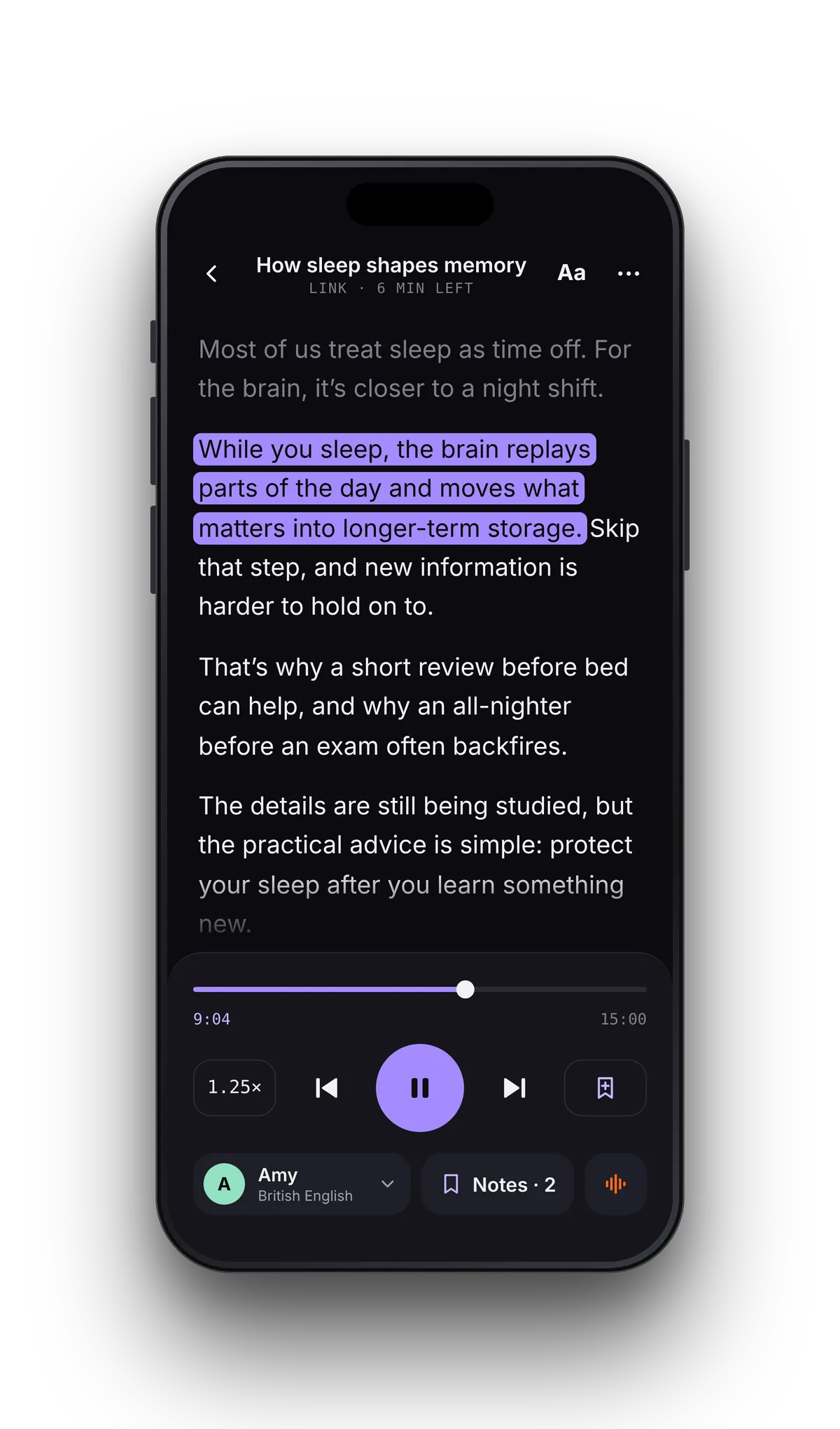
From ebook file to listening in three steps
- 01Add the bookTap File and choose the EPUB or PDF in the Files app; iCloud Drive, Google Drive and Dropbox appear there. A link straight to an EPUB file works too.
- 02Choose your narratorPreview voices before you pick one. Standard voices are free; Pro adds premium voices.
- 03Listen your wayRead along on screen, or lock the phone and just listen. The book remembers where you stopped.
Hear the opening line and see it on the page.
The sentence being read is highlighted as the voice moves through the book. Tap any sentence to start from there, so a favorite passage can be read aloud again as often as you like.
Everything a long listen needs.
DRM-free books, yes. Kindle and Apple Books purchases, no.
VoiceRead opens standard EPUB files and PDFs with a text layer. That covers public-domain classics, books sold without DRM by publishers and independent stores, and your own manuscript exported from a writing app. Hearing your own draft read back is a good way to catch clunky sentences.
Books bought in the Kindle or Apple Books stores are locked with DRM, so no other app can open them, VoiceRead included. For those, try iPhone's built-in Speak Screen inside the store's own app. Scanned PDF books without a text layer can't be read yet either; reading them is coming soon.
- Public-domain classics from Project Gutenberg and Standard Ebooks
- DRM-free purchases from publishers and indie bookstores
- Your own manuscript, or fan fiction downloaded as EPUB
- Books in other languages, with voices for 16+ languages
Keep a chapter as an audio file.
Listening in the reader is unlimited. To keep a chapter as audio, paste its text into Studio and export it, one chapter at a time.
Book questions
- Can VoiceRead read my Kindle or Apple Books library?
- No. Those books are protected with DRM, so no other app can open them. VoiceRead reads DRM-free EPUB and PDF files, including public-domain classics and your own files.
- Where can I find free books to listen to?
- Public-domain libraries such as Project Gutenberg and Standard Ebooks offer classics as DRM-free EPUB downloads. Save the file to the Files app, then open it in VoiceRead.
- Can I make an audiobook file from a whole book?
- Yes, chapter by chapter. Paste or import the text in Studio and export it as M4A; Pro adds unlimited downloads and WAV. How to turn a book into an audiobook.
- Does it remember where I stopped in each book?
- Yes. Every book keeps its own place on the device you're using. iCloud sync of progress between iPhone and iPad is coming soon.
- Is listening to books free?
- Yes. Listening with the standard voices is unlimited and needs no account. Pro adds premium voices and unlimited audio downloads. See pricing.