
EPUB reader with text to speech: hear any ebook
Open an EPUB and VoiceRead reads it aloud in a natural voice, highlighting each sentence as it goes. Every book keeps its own place, so you can listen to a chapter on the commute and pick up exactly there tonight.
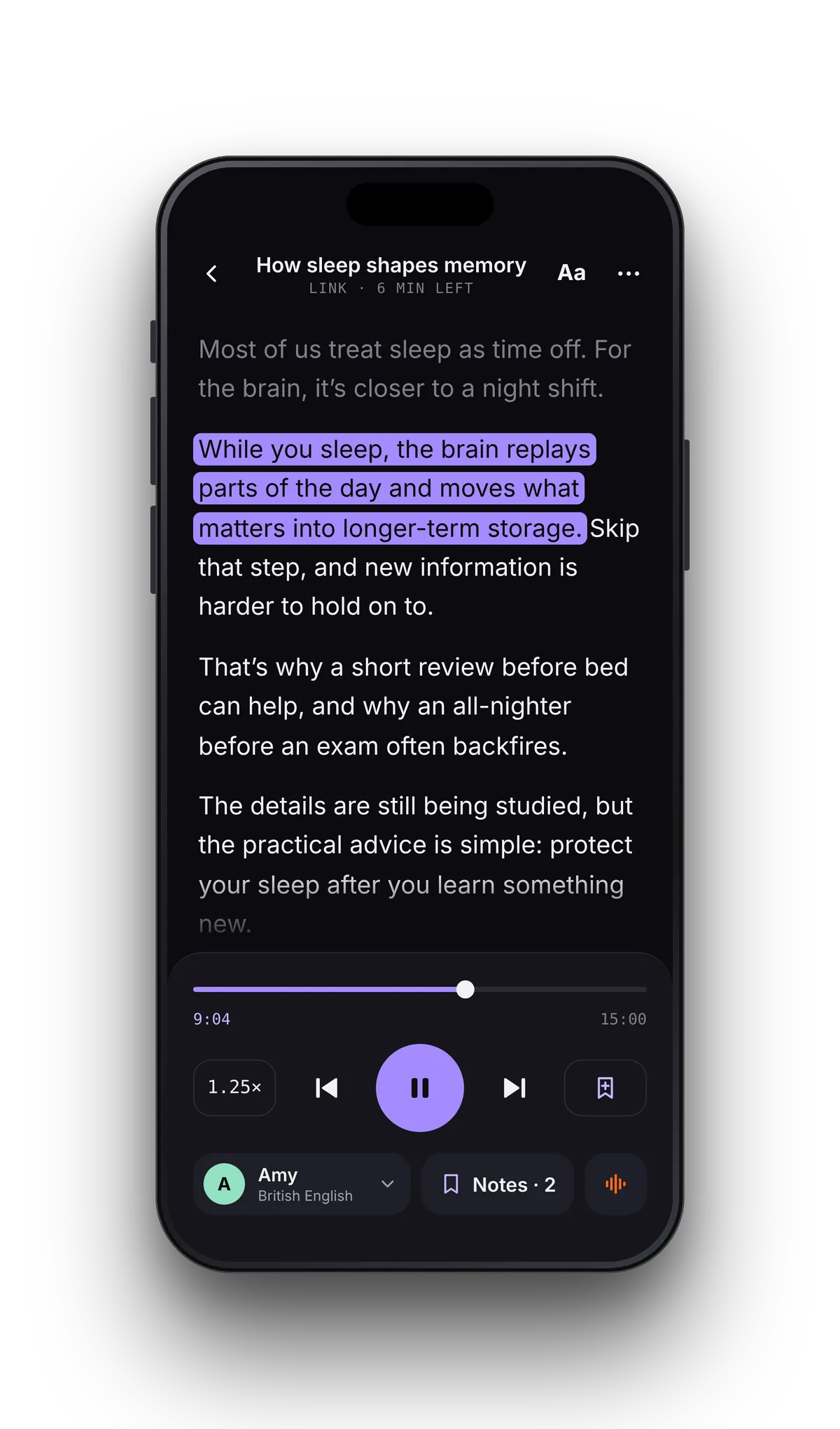
From ebook file to audiobook in three taps
- 01Open the EPUBTap File in VoiceRead and pick the book in the Files app. iCloud Drive, Google Drive and Dropbox all appear there.
- 02Choose a voiceStandard voices are free; Pro adds premium voices. Set the speed anywhere from 0.5–3.5×.
- 03Press playThe sentence being read lights up. Lock the phone and keep listening — play and pause from the lock screen or your AirPods.
Your eyes and ears on the same sentence.
Highlighting follows the voice through the book, one sentence at a time. Tap any sentence to start from there, or drift off and find your place again at a glance.
Built for the four-hundredth page, not just the first.
Any EPUB you own without DRM.
VoiceRead opens standard EPUB files. That covers far more than most people expect: classics from public-domain libraries, books bought DRM-free from publishers and independent stores, and EPUBs you export yourself from writing tools.
Books bought in the Kindle or Apple Books stores are locked with DRM and can't be opened in any other app, VoiceRead included. For those, use the store's own read-aloud or iPhone's Speak Screen.
- Public-domain classics from Project Gutenberg and Standard Ebooks
- DRM-free purchases from publishers and indie bookstores
- Your own manuscripts exported as EPUB
- Course readers and reports shared as EPUB
Want the audiobook as a file?
Listening in the reader is unlimited. If you'd rather have audio you can keep, paste a chapter's text into Studio and export it.
EPUB questions
- Can VoiceRead read Kindle or Apple Books purchases?
- No. Those books are protected with DRM, so no other app can open them. VoiceRead reads any EPUB without DRM, such as public-domain classics, DRM-free purchases and your own files.
- Is reading ebooks aloud free?
- Yes. Listening with the standard voices is unlimited and needs no account. Pro adds premium voices and unlimited audio downloads. See pricing.
- Does it work offline, on a plane?
- Yes. Once the EPUB is in VoiceRead, the standard voices read it without a connection. Premium voices need to be online.
- Can I convert an EPUB into an audiobook file?
- Yes, chapter by chapter. Paste or import the text in Studio and export an M4A file; Pro adds WAV and .srt captions. How to turn a book into an audiobook.
- Will it read books in other languages?
- Pick a voice in the book's language — 16+ languages are available. Voices and languages.