
COMPARISON · UPDATED 2026-10-28
Speechify alternative: VoiceRead, honestly compared
Looking for apps like Speechify because of the price, or because you want to keep the audio? Here is what both apps do, what they cost, and where VoiceRead doesn't match up yet. Speechify facts are checked against their public pages on the date above.
PICK VOICEREAD IFYou read on iPhone or iPad, want audio files you keep (M4A free, WAV and .srt captions with Pro), no word quota, and a free tier with no trial clock.
PICK SPEECHIFY IFYou need Android, Mac, Windows or a browser extension today, word-level highlighting, speeds above 3.5×, or a voice in one of its 60+ languages.
PRICE AT A GLANCEVoiceRead Pro: $49.99/year or $2.99/week, free tier included. Speechify Premium: $139/year or $29/month on the web (App Store prices differ).
VOICEREAD VS SPEECHIFY
Feature by feature
| Feature | VoiceRead AI | Speechify |
|---|---|---|
| Highlighting while reading | Sentence by sentence, every format | Word and sentence highlighting |
| Reads PDF, EPUB, DOCX, web, scans | Yes | Yes |
| Export an audio file | M4A (3 free downloads); unlimited M4A + WAV with Pro | MP3 from the web app only, Premium only, 50 hours a year on annual plans |
| Captions file with the audio | .srt with Pro | Not listed |
| Free tier | Unlimited reading with standard voices + 3 downloads, no account | 10 standard voices, up to 1.5× speed |
| Premium voices | With Pro, no word quota | 1,000+ voices in 60+ languages (Premium); 150,000 words a month on premium voices (1,000,000 guaranteed through Dec 31, 2026) |
| Reading speed | 0.5–3.5× | up to 4.5× in the iPhone app |
| Platforms | iPhone, iPad (Android coming soon) | iPhone, iPad, Android, Mac, Windows, web, Chrome and Edge extensions |
| Offline listening | Yes, with standard voices | Downloaded files on iPhone |
| Price | $49.99/yr · $2.99/wk · free tier | $139/yr · $29/mo on the web |
Speechify is a trademark of its owner; VoiceRead is not affiliated. Competitor details are taken from public pages and can change — tell us if something is out of date via support.
WHAT'S DIFFERENT
How VoiceRead differs from Speechify: reader and studio in one app.
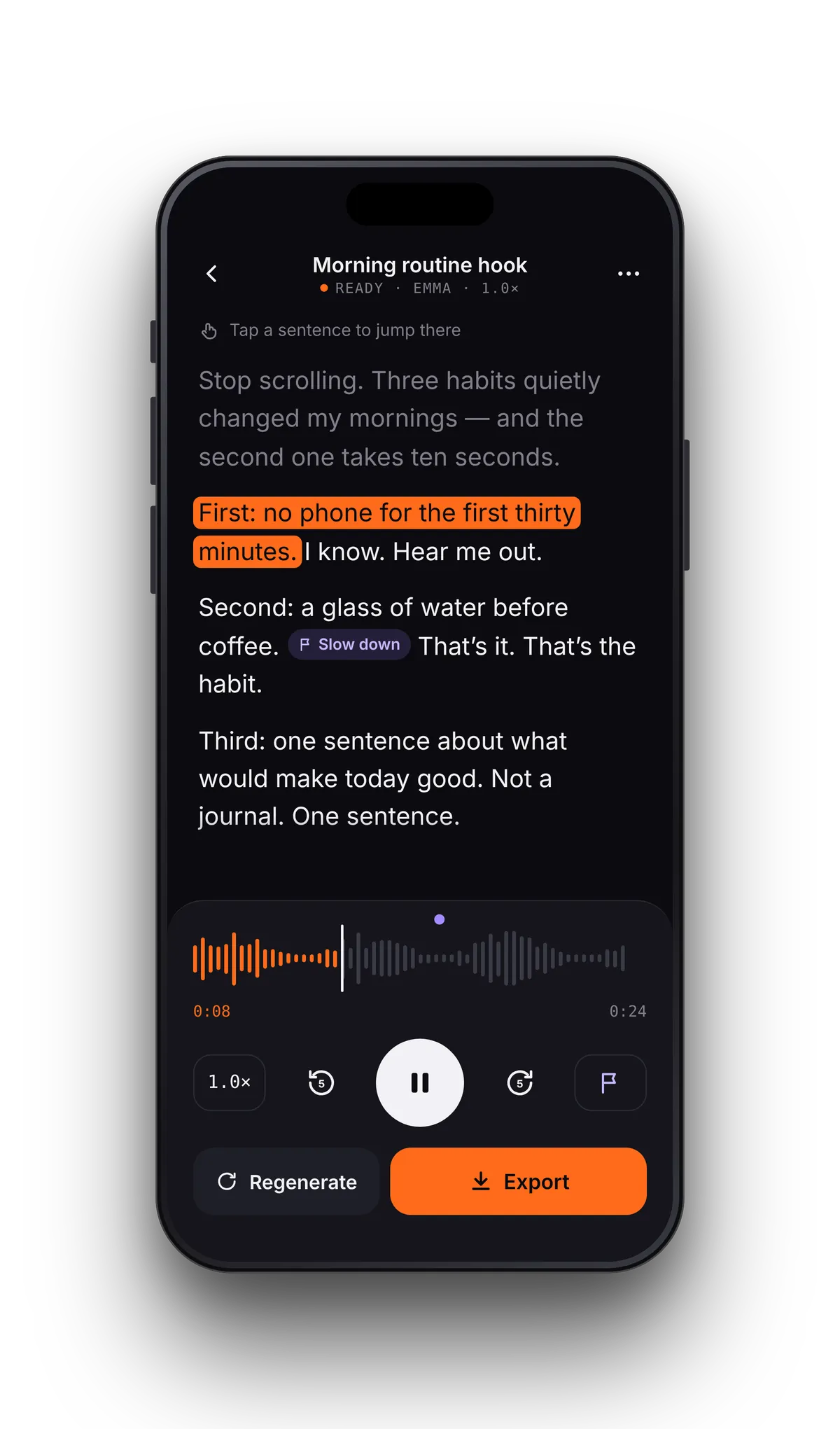
Most read-aloud apps stop at playback. VoiceRead's text to speech reads your own files out loud with the sentence highlighted, and the same voices turn any text into a downloadable voiceover you keep — so one subscription covers listening and making audio.
FAQ
Switching from Speechify: questions
- Is there a free Speechify alternative?
- VoiceRead reads your PDFs, ebooks and articles free with standard voices and highlighting, with no account and no trial clock. Premium voices and exports are Pro.
- Can I move my library over?
- Files you own (PDF, EPUB, DOCX) open directly from the Files app. Progress and notes don't transfer between apps.
- Does Speechify limit premium voices?
- Speechify's usage page sets a baseline of 150,000 words a month on premium voices, with 1,000,000 a month guaranteed through December 31, 2026. VoiceRead doesn't set a word quota on Pro voices.
- Which voices sound more natural?
- Try both. VoiceRead lets you preview every voice before you commit, and the standard set is free. Voices and languages.
Decide with your own file, not a table.Free to start. Open a PDF and press play.